I install a lot of small tools. A CLI from someone's GitHub, a Homebrew tap with twelve stars, a Rust binary that does one thing well. This is how I like software, and there has never been more of it.
Unless it’s a really established project, with many eyes on it, it’s a leap of faith. How do I know what the code actually does?
In theory, I could review it. But let’s be realistic, no one is fluent enough in every programming language, and no one has the time to carefully review the code of every tool they want to try; at least not me.
README is a claim
Every decent repo has a README, and the README file is a claim. The code is the fact.
The insight
The question is what’s the gap between the claim (README) and the fact (code).
A tool that says "renames files based on EXIF data" has no business making network calls, reading ~/.ssh, or spawning subprocesses. If it does, I don't need threat modeling or a CVE database. I've found it. Most malicious code reveals itself exactly at the point where behavior exceeds stated purpose.
The test is a scope-match.
A P2P sync tool is supposed to open sockets. A password manager is supposed to touch credential stores. Capabilities aren't red flags by themselves.
So does the capability stay inside the claimed scope? A tool claiming LAN-only sync should have no HTTP client and no hardcoded external hosts. A tool claiming "offline, no telemetry" should have zero outbound capability. The narrower the claim, the more accurate the check.
This is the kind of task LLM agents happen to be good at. They're patient, they read every file, and they don't get bored. They will grep the dependency manifest, check network calls, decode base64 blobs, read every if that branches on the current date.
The audit-repo skill
So I wrote a skill that does exactly this. It's structured around the README-vs-code principle rather than a generic checklist:
- Establish the claim. Confirm the repo is the one you meant (not a typosquat), record the exact commit hash, and write down in one sentence what the project says it does — including any scope limits it declares for itself ("offline", "LAN-only", "read-only").
- Read the code against that claim. Look for network activity, filesystem access outside the working directory, environment scraping, dynamic execution, persistence (cron, systemd,
.zshrc, LaunchAgents), obfuscation, self-downloading payloads. Then what a grep would miss: credential-store access, clipboard and screen capture, environment fingerprinting, time-gated behavior, covert exfiltration through a channel that looks legitimate, unsafe deserialization, insecure randomness for secrets, hardcoded backdoor conditionals. - Check the dependencies. Typosquats, wide-open version ranges, git-URL deps, and install-time scripts.
It also records positive findings: stripping setuid bits from received files, redacting secrets by default, atomic writes. Deliberate defensive choices tell you something about the author.
The output is a short prose report &mdsh;findings, verdict, and a reliability note kept separate from the malice verdict, because a tool can be perfectly honest and still eat your files.
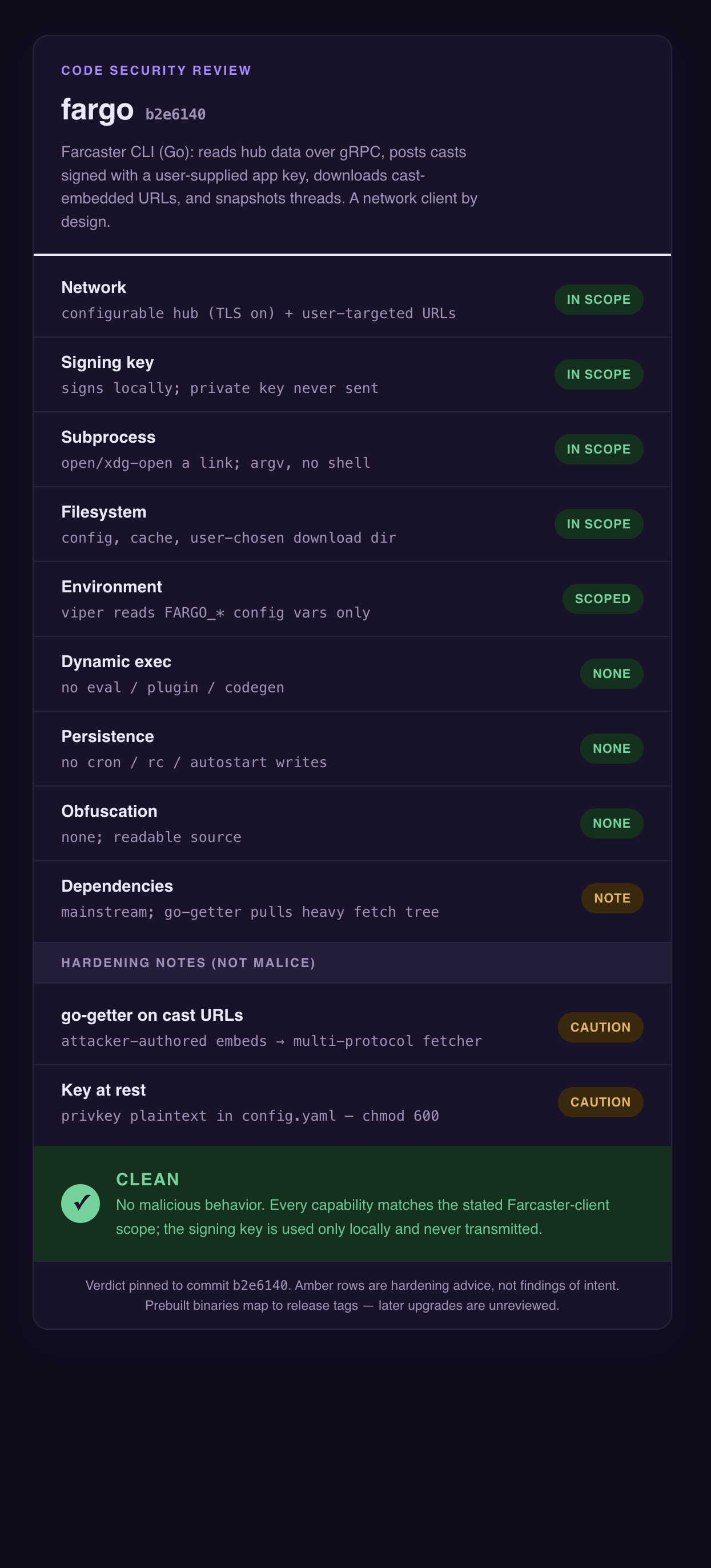
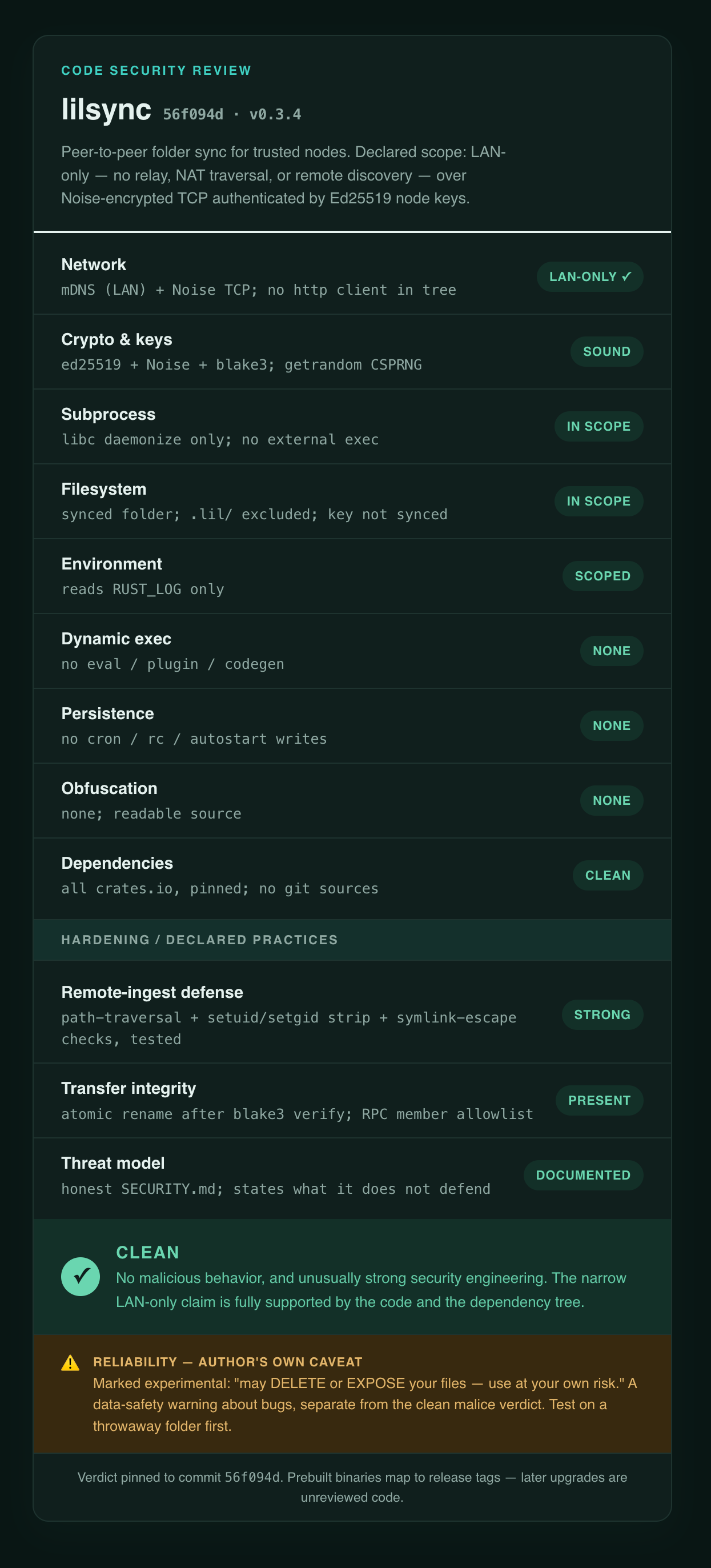
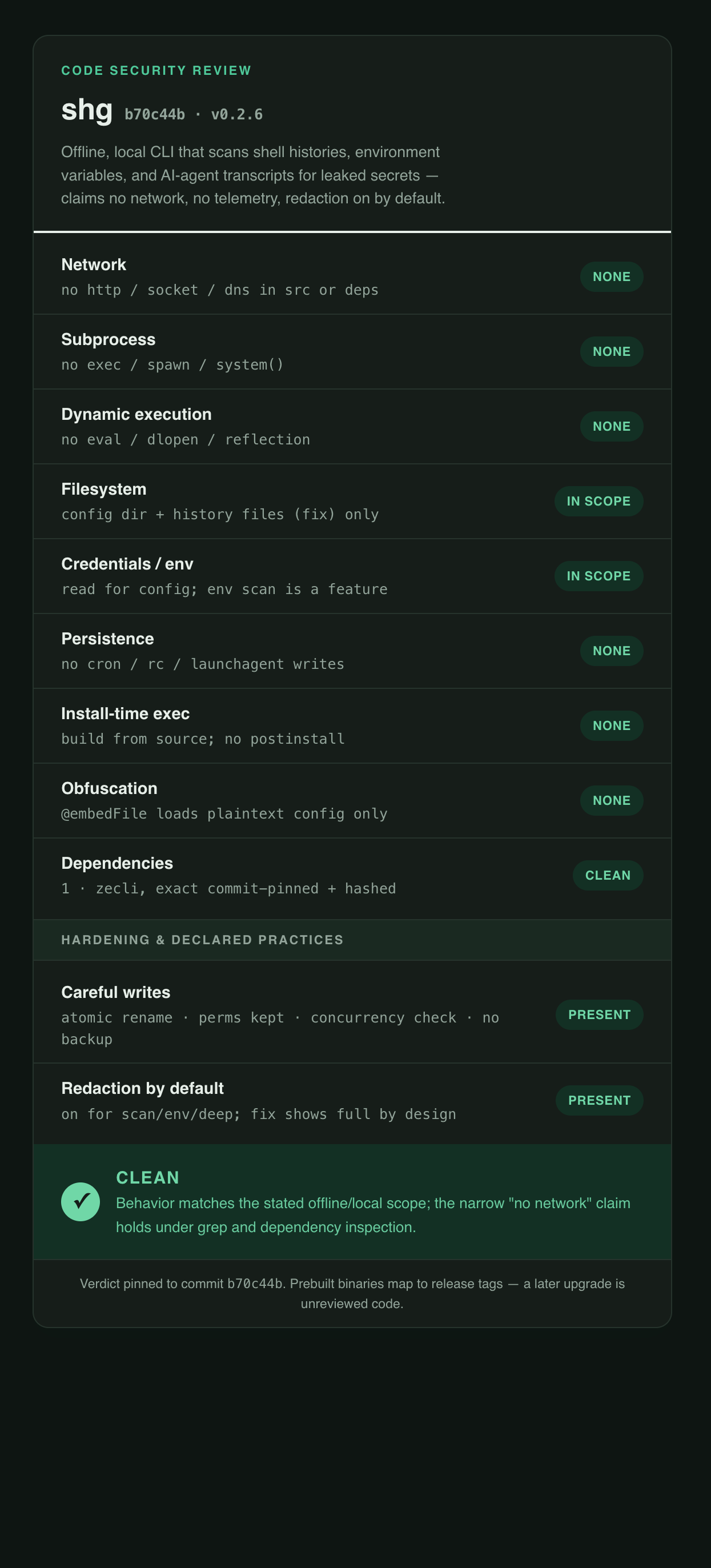
Finally, a report card: a color-coded label, one row per category, styled after the privacy nutrition labels on app stores, except each row is graded against the stated claim rather than scored in isolation. Green means "matches the claim or absent". Red means "undisclosed, or contradicts the claim". You can read it in three seconds.
Here's an example of reviewing `shg`
The review for shg generated this card: https://claude.ai/code/artifact/dda07f29-e634-4e14-892d-456bb1603958
It would be great if code repos like npm, crates.io, etc could provide a similar assesment, because they could also tailor the skill to their specific needs, and integrate in it the deep knowledge they have about the specific codebases.
Get the code-security-review skill from github.com/vrypan/skills. Install it and next time, before you install
a cool new tool, ask your AI agent "perform a security review of https://...".
Attention!
AI agents are getting really good. But this does not mean you can trust their security assesment blindly. That said, performing one using an agent is probably 100x better than nothing.
The verdict is pinned to a commit hash — a review of b70c44b says nothing about b2e6140.
It also depends on your agent. A weaker model will miss more, a frontier model will get you a more reliable assessment.